Mastering Natural Textures with the Procreate Chopped Grass Single Brush
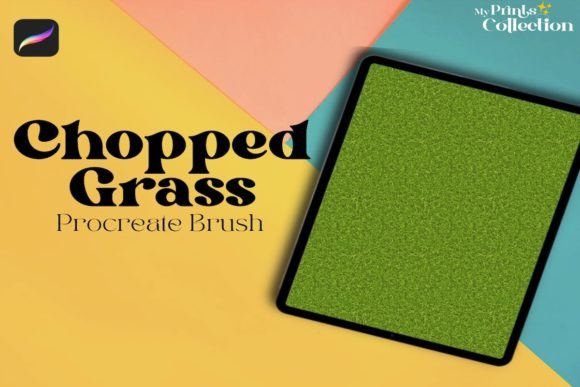
Digital landscape painting often hits a wall when it comes to organic details. You can paint a stunning sky, nail the perspective of a mountain range, and get the lighting just right, but the foreground frequently feels flat or overly uniform. This is where specialized tools become less about shortcuts and more about achieving a level of textural realism that manual brushing struggles to replicate efficiently. The Procreate Chopped Grass Single Brush addresses this specific friction point, offering a streamlined way to introduce complex foliage into your digital art without sacrificing control or artistic integrity.
Unlike generic grass stamps that look repetitive and artificial, this brush is designed to mimic the chaotic, layered nature of real vegetation. It allows artists to build up density and variation quickly, making it an indispensable asset for anyone working within the Procreate ecosystem who wants their nature scenes to breathe.
Bridging the Gap Between Concept and Final Render
For concept artists in the gaming and film industries, speed is currency. When designing environment concepts, you rarely have the luxury of spending hours painting individual blades of grass. The primary value of the Chopped Grass Single Brush lies in its ability to block in textures rapidly. Imagine you are sketching a post-apocalyptic overgrown city street. You need to convey the idea of nature reclaiming concrete. Using this brush, you can lay down base layers of chopped grass texture in seconds, establishing the volume and direction of the foliage. This allows you to focus your mental energy on composition and mood rather than getting bogged down in micro-details during the early stages.
Furthermore, because this is a single brush rather than a massive, overwhelming pack, it encourages mastery. Many artists download huge bundles of brushes they never use. By focusing on one high-quality tool, you learn its nuances—how pressure affects the spread, how opacity builds depth, and how color dynamics interact with the underlying layers. This deep familiarity translates to faster workflow times across all your projects.
Enhancing Illustration Depth for Storytellers
Children’s book illustrators and editorial artists often face a different challenge: maintaining a cohesive style while adding enough detail to keep the viewer engaged. A common mistake in digital illustration is over-rendering the background, which distracts from the main character. The Procreate Chopped Grass Single Brush offers a solution through its textured, slightly abstract quality. It provides the suggestion of grass without defining every single strand, which keeps the background soft and atmospheric.
Consider a scene featuring a character sitting in a meadow. Instead of painting a solid green block, you can use this brush to dab in varying shades of green, yellow, and brown. The "chopped" nature of the brush tip creates natural breaks in the texture, allowing light to seem like it is filtering through. This technique adds a sense of airiness and depth that solid fills lack. It helps ground the character in the environment, making the scene feel lived-in and tangible rather than staged on a flat plane.
Practical Applications Across Different Genres
The utility of this brush extends beyond traditional pastoral landscapes. Here is how different types of creators can leverage this tool:
- Fantasy Artists: Use the brush to create mossy textures on ancient ruins or dense undergrowth in enchanted forests. By adjusting the hue towards teal or purple, you can instantly create alien vegetation that still retains a natural, organic structure.
- Architectural Visualizers: When presenting landscape architecture designs, clients want to see how plants will integrate with hardscapes. This brush helps in quickly rendering ground cover around patios, walkways, and retaining walls, providing a realistic sense of scale and maintenance levels.
- Tattoo Designers: For those designing nature-inspired tattoos, the brush can help generate reference textures. While the final tattoo line work must be clean, using this brush in the shading phase can help visualize how clusters of grass or leaves will sit on the curvature of the body.
Technical Considerations and Workflow Integration
Before integrating the Procreate Chopped Grass Single Brush into your toolkit, it is essential to understand its technical boundaries. This is a digital product specifically engineered for the Procreate app on iPad. It requires Procreate App version 5 or higher. If you are still running an older version of the software, you will need to update before installation. It is crucial to note that this brush is not compatible with Photoshop or Illustrator. Attempting to use it in other software will result in errors, as the file format (.brushset) is proprietary to Procreate’s engine.
Upon purchase, you will receive a download link for a zip file sized at approximately 1 MB. This small footprint is a testament to the efficiency of the code behind the brush; it does not rely on heavy image assets but rather on complex algorithmic scattering and shape dynamics. Once downloaded, simply unzip the file and tap the .brushset file to import it directly into your Procreate brush library. The process is seamless and immediate.
Maximizing Realism Through Layering
To get the most out of this tool, avoid using it on a single layer. Real grass is not one uniform color; it is a mix of dead stalks, fresh growth, shadows, and highlights. A practical approach is to create three separate layers. On the bottom layer, use a darker green to paint the shadowed undergrowth. On the middle layer, use your mid-tone green with the Chopped Grass Single Brush to build the bulk of the foliage. Finally, on the top layer, use a lighter, yellowish-green or even a subtle white to add highlights where the light hits the tips of the grass.
This layering technique prevents the "sticker effect," where textures look pasted on top of the artwork. By varying the opacity and flow settings for each layer, you create a sense of volume. You can also experiment with blending modes. Setting the highlight layer to "Overlay" or "Soft Light" can make the grass glow naturally against the darker background, enhancing the luminosity of your piece.
Limitations and Best Practices
While versatile, this brush is not a magic wand. It works best when used as part of a broader toolkit. Relying solely on this brush for an entire foreground can lead to a homogeneous look. It is most effective when combined with custom hand-painted elements. Use the brush to establish the general mass and texture, then go in with a standard round brush or a fine liner to add specific focal points, such as a unique flower, a rock, or a distinct blade of grass that catches the eye.
Additionally, pay attention to perspective. Grass closer to the viewer should be larger and more detailed, while grass in the distance should be smaller and less defined. You can achieve this by adjusting the brush size dynamically or by scaling the layer content. Ignoring perspective will flatten your image, regardless of how good the texture is.
The Procreate Chopped Grass Single Brush is a focused, powerful tool for artists who value efficiency without compromising on aesthetic quality. Whether you are a hobbyist looking to improve your landscape sketches or a professional needing to speed up your environment design workflow, this brush offers a practical solution to the age-old problem of painting nature. By understanding its mechanics and integrating it thoughtfully into your layering process, you can transform flat digital canvases into vibrant, living ecosystems.