Mastering Smooth Wet-on-Dry Gouache in Procreate
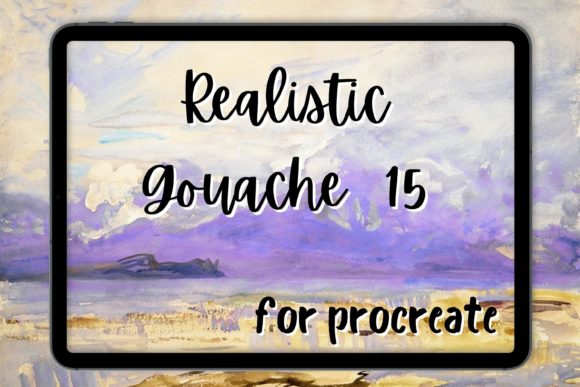
Digital painting has come a long way from the sterile, vector-like lines of early tablet art. Today, creators crave texture, imperfection, and the tactile satisfaction of traditional media. This is where Procreate Gouache Brush 15 Smooth Wet on Dry changes the game. It is not just another tool in your library; it is a bridge between the physical and digital worlds, designed to replicate the specific, creamy opacity of gouache paint applied to dry paper.
For designers, illustrators, and hobbyists alike, the challenge with digital gouache has always been balancing opacity with blendability. Traditional digital brushes often feel too plastic or too muddy. This brush set addresses that by mimicking the real-life behavior of pigment settling into the tooth of the canvas. Whether you are working on impressionism studies, abstract painting concepts, or polished commercial illustrations, understanding how to leverage this specific tool can elevate your workflow significantly.
The Visual Personality of Digital Gouache
Gouache is unique among paints. Unlike watercolor, which relies on transparency, or oil, which takes days to dry, gouache offers a matte, velvety finish that dries quickly and allows for easy layering. The Procreate Gouache Brush 15 Smooth Wet on Dry captures this essence by focusing on the "wet on dry" technique. This method involves applying fresh, wet paint onto a layer that has already dried. The result is crisp edges, vibrant color stacking, and a distinct lack of unwanted bleeding.
When you use this brush, you will notice immediate feedback in the stroke dynamics. It does not smear indefinitely like an oil brush might. Instead, it lays down pigment with a confident weight. The texture is subtle but present, giving your work a painterly quality without overwhelming the composition with noise. This makes it ideal for artists who want the look of hand-painted art but require the control and undo capabilities of digital software.
The appeal lies in its versatility. It behaves like a premium acrylic brush in terms of coverage but retains the softness associated with water-based media. For those building a comprehensive procreate bundle, this specific brush fills the gap between heavy impasto tools and delicate watercolor washes. It is the workhorse for mid-tone development and solid shape definition.
Strategic Applications Across Creative Industries
While many assume textured brushes are solely for fine art, their utility extends far beyond the gallery wall. In branding and marketing, authenticity is a currency. Consumers are increasingly drawn to brands that feel human and approachable. Using a gouache brush style in your visual assets can soften corporate edges and create a more inviting brand identity.
- Editorial Design: Use these strokes for chapter headers, pull quotes, or background textures in magazines and eBooks. The organic feel breaks up rigid grid systems and adds warmth to text-heavy layouts.
- Packaging Design: For artisanal products like candles, soaps, or specialty foods, a hand-painted label suggests craftsmanship. The smooth opacity of this brush allows for legible, bold shapes that stand out on small packages.
- Social Media Graphics: In a feed saturated with polished photos, a post featuring genuine wet brush textures stops the scroll. It signals effort and creativity, distinguishing your content from template-based designs.
- Web Design Elements: Custom icons or hero section backgrounds created with this brush can add a unique signature to a website, moving away from stock photography clichés.
Consider the impact on brand perception. A finance app might use clean sans-serifs, but a lifestyle blog or a boutique consultancy can benefit from the approachability of hand-painted elements. The key is consistency. If you choose this aesthetic, apply it across your touchpoints to build recognition.
Technical Mastery and Workflow Integration
To get the most out of Procreate Gouache Brush 15 Smooth Wet on Dry, you must understand the mechanics of the medium it emulates. Real gouache reacts to water content and paper texture. Digitally, this translates to pressure sensitivity and canvas selection.
Start by choosing a textured canvas within Procreate. A smooth screen canvas will not interact with the brush’s texture engine effectively. Look for papers labeled as "cold press" or "rough" in your digital library. When you apply the brush, vary your pressure. Light pressure should yield a semi-transparent wash, while heavy pressure delivers full opacity. This dynamic range is crucial for creating depth without switching tools.
Layering is another critical skill. Since this is a wet on dry simulation, allow your bottom layers to settle before adding details. If you try to blend aggressively while the layer is still "wet" (or immediately after drawing), you may lose the crispness that defines this style. Instead, use separate layers for shadows and highlights. This non-destructive approach allows you to adjust the composition later, maintaining the professionalism expected in commercial projects.
For those interested in font pairing or typography integration, remember that textured backgrounds require high-contrast type. A bold serif font or a clean sans serif font works best over gouache textures. Avoid delicate script fonts unless they are large and have ample breathing room, as the background noise can reduce readability.
Evaluating Fit for Your Project
Before committing to this style, ask yourself if it serves the project’s goal. Is the aim to convey precision and tech-forward innovation? If so, a sleek vector approach might be better. However, if the goal is to evoke emotion, nostalgia, or creativity, this brush is an excellent choice. It acts as a display font does in typography: it draws attention and sets the mood.
When reviewing included styles in any procreate oil or gouache set, check for variety. Does the pack offer different sizes? Are there variations for dry brush effects? The Procreate Gouache Brush 15 Smooth Wet on Dry focuses on smoothness, but having complementary brushes for rougher edges can enhance realism. Always test the brush on a sample file to ensure it integrates well with your existing workflow and hardware.
Licensing is also a practical consideration. Ensure that any brush set you purchase allows for commercial use if you intend to sell the resulting artwork. Most reputable creators provide clear guidelines, but verifying this protects your business interests. Think of these brushes as design assets similar to stock photos or premium font licenses—they are tools that enable your creativity, but their legal usage must be clear.
Ultimately, the value of this tool lies in its ability to speed up the creation of realistic textures. What might take hours to paint physically can be achieved in minutes digitally, with the added benefit of easy editing. For the modern creative professional, this efficiency does not compromise quality; it enhances it, allowing more time for conceptual thinking and less time fighting with materials.
Whether you are refining a logo design concept, illustrating a children’s book, or creating abstract backgrounds for a marketing campaign, mastering this brush opens new avenues for expression. It invites you to play, experiment, and find a unique visual voice in a crowded digital landscape. Embrace the texture, respect the opacity, and let the digital paint flow with purpose.