Procreate Oil Brush Light Canvas Texture: A Practical Evaluation for Digital Painters
The transition from traditional media to digital illustration often presents a specific challenge: the loss of tactile resistance. For artists accustomed to the drag of bristles against woven fabric, the smooth glass surface of an iPad can feel sterile. This is where specialized tools like the Procreate Oil Brush Light Canvas Texture become essential components of a modern digital workflow. Designed to replicate the nuanced interaction between pigment and surface, this brush set aims to bridge the gap between physical painting and digital convenience.
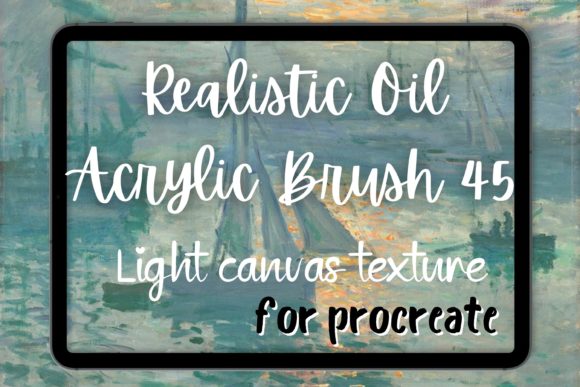
This analysis examines the functionality, aesthetic quality, and practical application of the Procreate Oil Brush 45 Light Canvas Texture Realistic Oil Painting Brush. By focusing on its simulation of real-life brush strokes and canvas grain, we can determine whether it serves as a viable tool for professionals, educators, and serious hobbyists seeking a painterly aesthetic without the logistical burden of traditional oils.
Understanding the Core Mechanics
At its heart, the Procreate Oil Brush Light Canvas Texture is not merely a stamp or a static image overlay. It is a dynamic engine built within Procreate’s brush studio that responds to pressure, tilt, and velocity. The primary distinction of this specific brush lies in its integration of a "light" canvas texture. Unlike heavy, coarse textures that can overwhelm delicate details, a light texture provides a subtle tooth that catches the digital pigment just enough to create visual interest without sacrificing clarity.
The brush mimics the behavior of stiff bristles loaded with viscous paint. When you apply pressure, the stroke widens and the opacity increases, simulating the deposit of thicker paint. As you lift the stylus, the stroke tapers, revealing the underlying canvas grain. This interaction is crucial for achieving the oil brush strokes characteristic of classical and impressionist works. The inclusion of realistic imperfections—such as slight streaks and uneven edges—prevents the digital art from looking too polished or computer-generated.
Aesthetic Versatility and Style Application
One of the most compelling aspects of this tool is its adaptability across various artistic movements. While marketed heavily towards realism, its utility extends far beyond strict representation.
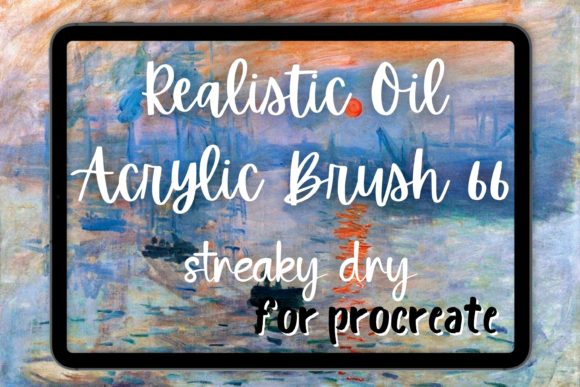
- Impressionism and Post-Impressionism: Artists aiming for a Van Gogh oil aesthetic will find the brush particularly effective. The ability to lay down distinct, directional strokes allows for the creation of swirling skies and textured landscapes reminiscent of Van Gogh brush techniques. The light canvas texture ensures that these bold strokes sit naturally on the surface, rather than appearing to float above it.
- Abstract Painting: For abstract creators, the unpredictability of the brush edge is an asset. It encourages spontaneous mark-making, allowing for layered compositions where underlying colors peek through the top layers, creating depth and complexity.
- Painterly Portraits: The brush excels in softening edges while maintaining structural integrity. It allows for the blending of skin tones in a way that feels organic, avoiding the plastic smoothness often associated with airbrush tools.
Furthermore, while designed for oil simulation, the brush’s versatility allows it to mimic other mediums. With adjustments to wetness and flow settings, users can approximate the look of an acrylic brush or even a dry gouache brush. This flexibility makes it a valuable single solution for artists who work across multiple simulated mediums within the same project.
Workflow Integration and Usability
For professionals and freelancers, time efficiency is paramount. The Procreate bundle containing this brush typically includes presets that are ready to use out of the box, minimizing the need for extensive customization. However, the true value lies in its consistency. Once an artist finds their preferred pressure sensitivity settings, the brush delivers reliable results across different canvases and resolutions.
The canvas texture element is particularly noteworthy for its subtlety. Heavy textures can interfere with line art or fine detail work, requiring additional masking or layer management. A light texture, by contrast, acts as a unifying filter that ties disparate elements together without demanding extra post-processing. This is especially beneficial for illustrators working on tight deadlines who need their work to look finished and cohesive quickly.
Usability also extends to the learning curve. Artists familiar with traditional painting will find the gestures intuitive. The brush rewards confident, decisive strokes, discouraging the hesitant, scratchy lines that can plague digital beginners. This encourages a more authentic painting process, focusing on form and light rather than pixel-perfect precision.
Quality Assessment and Long-Term Value
When evaluating digital assets, longevity and reliability are key metrics. The Procreate Van Gogh style brushes often suffer from repetitive patterns if not engineered correctly. However, the Procreate Oil Brush 45 Light Canvas Texture utilizes randomized scatter and rotation dynamics to ensure that no two strokes look identical. This variation is critical for maintaining the illusion of hand-painted authenticity over large areas.
The presentation of the brush within the app is straightforward, but its effectiveness is determined by its performance under stress. In testing, the brush maintains stability even at high zoom levels, preventing pixelation or lag. This reliability is essential for detailed work, such as refining highlights in an eye or adding intricate textures to fabric.
From a value perspective, investing in a high-quality brush set like this can reduce the need for multiple single-purpose tools. Instead of switching between a blender, a texture stamper, and a standard round brush, this tool combines these functions. For educators and small business owners creating content, this streamlining effect can significantly enhance productivity.
Who Benefits Most from This Tool?
While any digital artist can benefit from expanded toolsets, specific groups will find the Procreate Oil Brush Light Canvas Texture particularly advantageous:
- Traditional Artists Transitioning to Digital: Those who miss the tactile feedback of canvas will appreciate the resistance and texture simulation. It eases the psychological barrier of moving to a screen.
- Illustrators and Concept Artists: Professionals needing to produce mood pieces or atmospheric backgrounds quickly will value the brush’s ability to generate complex textures with minimal effort.
- Educators and Workshop Leaders: Teaching digital painting concepts is easier when the tools behave predictably and resemble traditional media. This brush helps students understand value and edge control without getting distracted by digital artifacts.
- Hobbyists Seeking Depth: Casual painters who want their work to look less "digital" and more artisanal will find the light canvas texture adds a level of sophistication that flat colors lack.
Practical Limitations and Considerations
No tool is without its constraints. It is important to note that the Procreate oil brush is designed for a specific aesthetic. If your goal is clean, vector-like graphics or flat design illustrations, this brush may introduce unwanted noise. The texture, while light, is still present and may require flattening or additional smoothing if a pristine finish is required.
Additionally, the effectiveness of the brush is dependent on the user’s hardware. Older iPad models may experience slight latency with complex brush engines, although the light texture generally keeps processing demands manageable. Users should also be mindful of canvas size; extremely high-resolution documents may require adjusting the brush’s spacing and streamline settings to maintain performance.
Final Thoughts on Digital Authenticity
The Procreate Oil Brush Light Canvas Texture represents a thoughtful approach to digital tool design. It does not attempt to replace traditional painting but rather offers a credible alternative that respects the principles of physical media. By focusing on the interplay between brush stroke and surface texture, it enables artists to create work that feels alive and handmade.
For those seeking to infuse their digital portfolios with the warmth and character of impressionism or the boldness of abstract painting, this brush is a worthy addition. It balances technical precision with artistic freedom, providing a reliable foundation for creating compelling visual narratives. Whether you are a seasoned professional refining your workflow or a hobbyist exploring new creative avenues, understanding the capabilities of this tool can significantly enhance your digital painting experience.